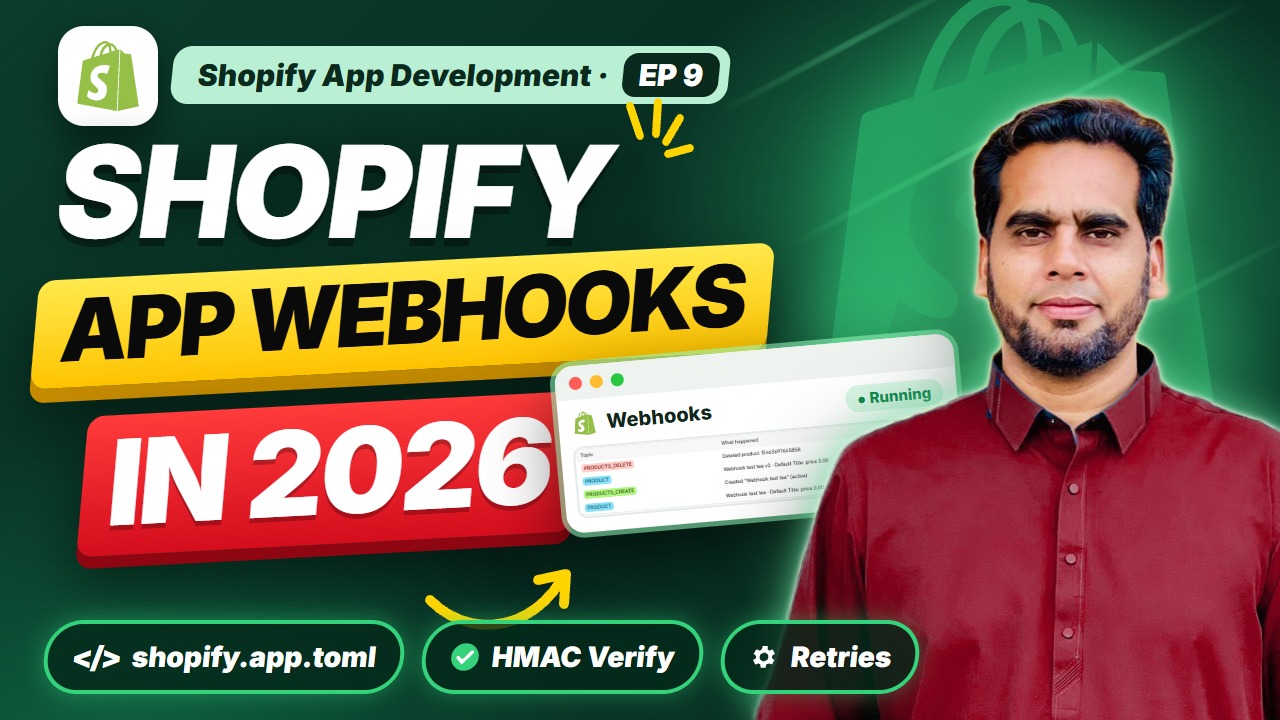
Shopify app webhooks tutorial (2026): react to store changes from your own Shopify app – subscribe in shopify.app.toml, handle products/create and products/delete in one route, verify the HMAC with authenticate.webhook, save every event with Prisma, survive retries without duplicates, and use the new filtered events that only fire when a price changes, on a real development store. Shopify app development series, episode 9 – everything shown is real, nothing skipped.
What you'll learn
- App-specific webhook subscriptions in shopify.app.toml
- authenticate.webhook: HMAC check, topic, payload, eventId
- Save events with Prisma and answer fast
- Retries: same eventId, no duplicates
- [events]: only when a variant price changes, with your own query
- Test with shopify app webhook trigger
💻 Free source code for this episode: github.com/fayyaz315/shopify-app-development-2026/tree/ep09
Chapters
- 0:00 Preview + intro
- 0:36 What a webhook is
- 1:18 Subscribe in shopify.app.toml
- 2:15 The handler: HMAC first
- 3:41 Save every event
- 4:07 The Webhooks page
- 4:50 Live: create and rename
- 5:20 Price-change events
- 6:13 Retries: fail on purpose
- 7:02 A fake webhook: 401
- 7:34 Where are my subscriptions?
- 8:21 Honest notes
- 9:02 Recap
Step by step (full walkthrough)
Preview + intro
In the next ten minutes, your app will hear about every product change in the store, a second after it happens. You'll make it fail on purpose, and watch Shopify send the same event again, and you'll see a fake webhook bounce right off. This is a Shopify app webhook at work.
I create a product, and a second later, Shopify tells our app about it. This is episode nine of the Shopify app development series. Last time we built size guides with metaobjects.
Today: webhooks. The full code is free on GitHub, and the link is in the description.
What a webhook is
First, what a webhook is, and why you want one. Without webhooks, your app has to keep asking Shopify: did anything change? Most of the time the answer is no, and you still pay for the call.
With a webhook, Shopify tells you once, the moment something happens. Good uses: sync products to another system, clear a cache, send an alert, or clean up when a merchant uninstalls your app. Here's the path.
Something changes in the store. Shopify sends a signed POST request to a URL in your app. Your app checks the signature, saves what it needs, and answers two hundred, fast.
If it doesn't, Shopify tries again.
Subscribe in shopify.app.toml
In 2026, you subscribe in shopify.app.toml. No API call, no setup code. The template already has two: app uninstalled, and scopes update.
I add one more subscription. One URI, slash webhooks/catalog, and two topics: products create and products delete. When you run shopify app dev, or deploy, the CLI sends these subscriptions to Shopify with the app.
They belong to your app, on every store that installs it. The URI is a path. Shopify puts your app's URL in front of it, so it follows your tunnel during development.
The template's app uninstalled handler is a good first example. It deletes the shop's sessions, and it's written to run twice safely. For apps with heavy traffic, a subscription can also point at Google Pub Sub or Amazon EventBridge instead of a URL.
The handler: HMAC first
Now the handler. The path/webhooks/catalog means a route file named webhooks.catalog. It only has an action, because Shopify always sends a POST.
The first line is authenticate.webhook. That one call checks the HMAC signature. Shopify signs every body with your app's secret.
A request without a valid signature never gets past this line. The signature is in the X Shopify H mac header: a hash of the raw body, made with your app's client secret. That's why the helper reads the raw body itself.
It gives back the topic, the shop, the payload, and two IDs: the webhook ID, and the event ID. One URL, two topics, so I switch on the topic. Create sends the whole product, so I keep the title and the status.
Delete sends only the ID. Topics arrive in capitals with underscores, like products underscore create. The create payload is the full product, in the older REST shape: handle, body HTML, variants, and admin graphql api id, the GraphQL ID for follow-up queries.
On delete, the product is already gone, so the ID is all you get. If you need more, keep your own copy when it's created. Then I answer with an empty response, which means two hundred.
Shopify waits about five seconds, so slow work belongs in a queue, not here.
Save every event
Every event is saved in the app's own database, so the page can show it later. The event ID is the primary key, and there's a deliveries counter that starts at one. Why?
Shopify can deliver the same event more than once. So save event is an upsert by event ID. A new event creates a row.
The same event again only adds one to deliveries. No duplicate rows, no double work.
The Webhooks page
And a new Webhooks page to watch it all. The loader reads the latest twenty events for this shop from our table. Webhooks arrive in the background, so the page re-reads the list every three seconds.
The table shows the topic, what happened, when Shopify triggered it, when we received it, and the deliveries count. The buttons make real changes in the store, with the GraphQL mutations from earlier episodes. So every webhook you'll see is real.
One detail from testing. The page keeps the new product's ID and finds it by ID, because product search lags a few seconds behind a brand new product. Here's the page.
Six buttons that change the store, and an empty list of received events.
Live: create and rename
Create test product. Products create. It reached our app about a second after the change: Created Webhook test tee, active.
And a second event too. We'll come back to that one in a moment. Now, change its title.
The title changed in Shopify, and nothing arrives. We didn't subscribe to product updates, so we don't get them. Two times on every row.
Triggered is when the change happened in Shopify. Received is when it reached us. Here, under a second apart.
Price-change events
Here's the new part. Most apps don't care about every update, only about one thing. Like a price.
The events section of the toml does that. Topic product, action update, and triggers: the variant's price and compareAtPrice. Then your own GraphQL query.
Shopify runs it and sends you the result, not the whole product. And a query filter: only active products. Change its price.
One event: Webhook test tee v2, price five. With the new title, because the payload is the result of our query. That second event on create was this one.
A new product's variant gets its first price, zero, and that counts as a price change. The handler is the same style. authenticate.webhook, then the data from our query: the product and the variant.
Retries: fail on purpose
Now the part most tutorials skip: what happens when your app fails. Fail the next delivery. It writes a small flag file.
The handler sees the flag on a first delivery, deletes it, and answers five hundred. Delete it. Products delete.
Saved, but we answered five hundred. Deliveries: one. A few seconds later, Shopify sends it again.
Same event ID, so the same row. Deliveries: two. If your app keeps failing, Shopify keeps trying.
Its docs say up to eight times over four hours, so a short outage doesn't lose events. That's why the event ID matters. Without the upsert, this product would have been deleted twice in our data.
So, make your handler safe to run twice. Shopify promises at least one delivery, not exactly one.
A fake webhook: 401
Last button. Anyone can find your webhook URL and post to it. Send a fake webhook.
Refused, four oh one. The headers look real, but the signature isn't, because we don't have Shopify's secret. The fake request sets every Shopify header.
Only the HMAC is made up, and that's enough to stop it. In my tests, a request without Shopify's headers got four hundred. A GET request too.
Only a real, signed POST gets through.
Where are my subscriptions?
One more thing that confused me at first. In GraphiQL, I ask for the app's webhook subscriptions. An empty list.
Our toml subscriptions are working, but this query doesn't show them. That query lists subscriptions made with the API, for one store. Toml subscriptions are app specific, so you manage them in the toml, not with this query.
You'd only use that API when one store needs something different, for example a webhook that depends on a merchant's settings. To test a handler without touching the store, the CLI has shopify app webhook trigger. It sends a signed sample, an example T-shirt.
In my test it arrived, signed and valid, but for a different shop domain, so our page, which filters by shop, didn't list it.
Honest notes
A few honest notes before the recap. One: the fail button uses a file on disk. Fine for a demo.
In a real app, never fail on purpose. Two: we do the work inside the request. A real app with slow work should save the event, answer, and process it in a queue.
Three: webhooks can arrive out of order. Use the triggered at time, not the arrival time, if order matters. Want to practise?
Subscribe to collections create, and show new collections on the same page. And everything you saw was tested on my real development store, on API version 2026-10, before I pressed record.
Recap
So, the recap. Subscribe in shopify.app.toml: topics in the webhooks section, and only the changes you need in the events section. Start every handler with authenticate.webhook, so a fake request gets four oh one.
Save by event ID, because Shopify retries, and the same event can come twice. And answer fast. Slow work goes in a queue.
That's Shopify app webhooks in 2026, inside a real app, on a real store. The full code for this episode is free on GitHub. The link is in the description.
Next episode: files and media. Your app uploads images to Shopify, and adds them to products. See you there.
Quick fixes from this episode (60-second Shorts)
Shopify Webhook Events: Only When the Price Changes (New in 2026)
Shopify webhook events (2026-10): the new [events] section in shopify.app.toml fires only when a variant's price changes on an active product – and sends the result of YOUR GraphQL query. Title change: nothing. Price change: one event, seconds later. Tested on a real store.
Shopify Webhooks Retry: My App Failed Once, Shopify Sent It Again
Shopify webhooks retry (2026-10): my handler answered 500 on purpose, and Shopify sent the same event again within seconds – same X-Shopify-Event-Id. Save by eventId and you count deliveries instead of saving duplicates.
Shopify App Toml Webhooks: Subscribe Without an API Call
Shopify app toml webhooks (2026-10): three lines in shopify.app.toml subscribe your app to products/create and products/delete on every store that installs it – no webhookSubscriptionCreate call. That's also why the webhookSubscriptions query returns an empty list.
The Shopify App Development 2026 series
All episodes are free, with the code on GitHub. Course page: Shopify App Development 2026.
- Episode 1: How to Create a Shopify App in 2026 (Shopify CLI Step by Step for Beginners)
- Episode 2: Shopify Admin API Tutorial 2026
- Episode 3: Shopify Product Variants API 2026
- Episode 4: Shopify GraphQL Create Collection 2026
- Episode 5: Shopify Update Inventory API 2026
- Episode 6: Shopify Create Discount Code API 2026
- Episode 7: Shopify Metafields API 2026
- Episode 8: Shopify Metaobjects API 2026
- Episode 9: Shopify App Webhooks 2026 (this episode)
🔔 New episodes every week on the YouTube channel. Need a custom Shopify app or API integration? Wixob Technologies builds them: info@wixob.com.